Automatic Liquid Filling with a Samkoon PLC: Free CSV Example
Download the program and element CSV files. A bottle sensor stops the conveyor, enables a five-second liquid fill and releases the bottle without an HMI.

A Samkoon PLC can run a basic automatic liquid filling sequence without an HMI. When the sensor detects a bottle, the conveyor command switches off and the filling output switches on. After the default five seconds, filling stops and the conveyor moves the bottle away. The same bottle cannot trigger another fill until the sensor has cleared.
PLC only: this free example contains no HMI screens or panel project. Pneumatic bottle clamps, powder filling and recipe management are not included.
Contact us for more advanced PLC applications with HMI screens, pneumatic bottle handling or recipe management. We can also build a liquid filling machine to suit your requirements.
Let’s talk about your machine
If you’d like to talk, leave your name and phone number and we’ll give you a call.
Thank you. We’ll be in touch.
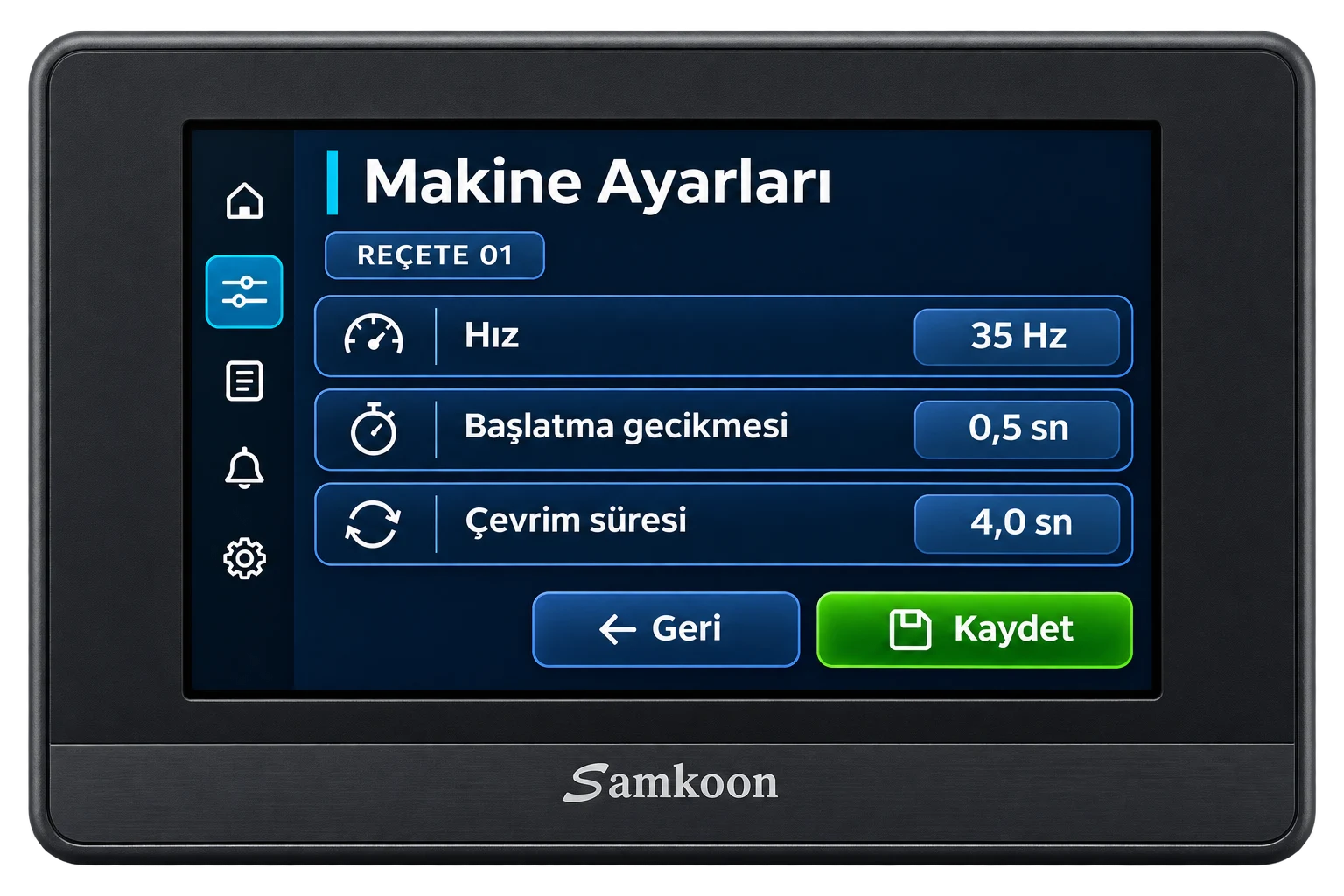
An HMI version will be covered in a separate article.
Download the free program and element list
The ZIP contains program_main.csv and element_manager.csv. They follow the SamSoar2022 CSV transfer structure with UTF-8 BOM encoding and Windows line endings. This is not a complete configured device project: select the CPU and I/O configuration in your own project. Symbols are in English; element comments are in Turkish.
How to import into SamSoar2022
- Create an empty project and select your exact CPU. Do not import directly over a running machine's project.
- Under File → Import, select Program / Import STL and open
program_main.csv. View the imported program in Ladder mode. - Import the element list through Software Component Table / Element Manager. It adds address descriptions and symbols; it does not create the ladder program on its own.
- The element CSV has no header. Its comma-separated columns are address, comment, symbol. Select that order if your software requests a column mapping; interface wording may differ by version.
- Use Tool → Compile. Resolve any unsupported instruction or address before downloading. Check the sequence with monitoring or test lamps first.
Inputs and outputs
- X000: momentary normally open Start button.
- X001: StopOK, from a normally closed Stop circuit. It must read 1 when released and healthy, 0 when pressed.
- X002: bottle present at the filling position, active high.
- Y000: conveyor contactor or motor drive run command.
- Y001: filling valve or pump interface command, held on for five seconds. This is not a brief start pulse.
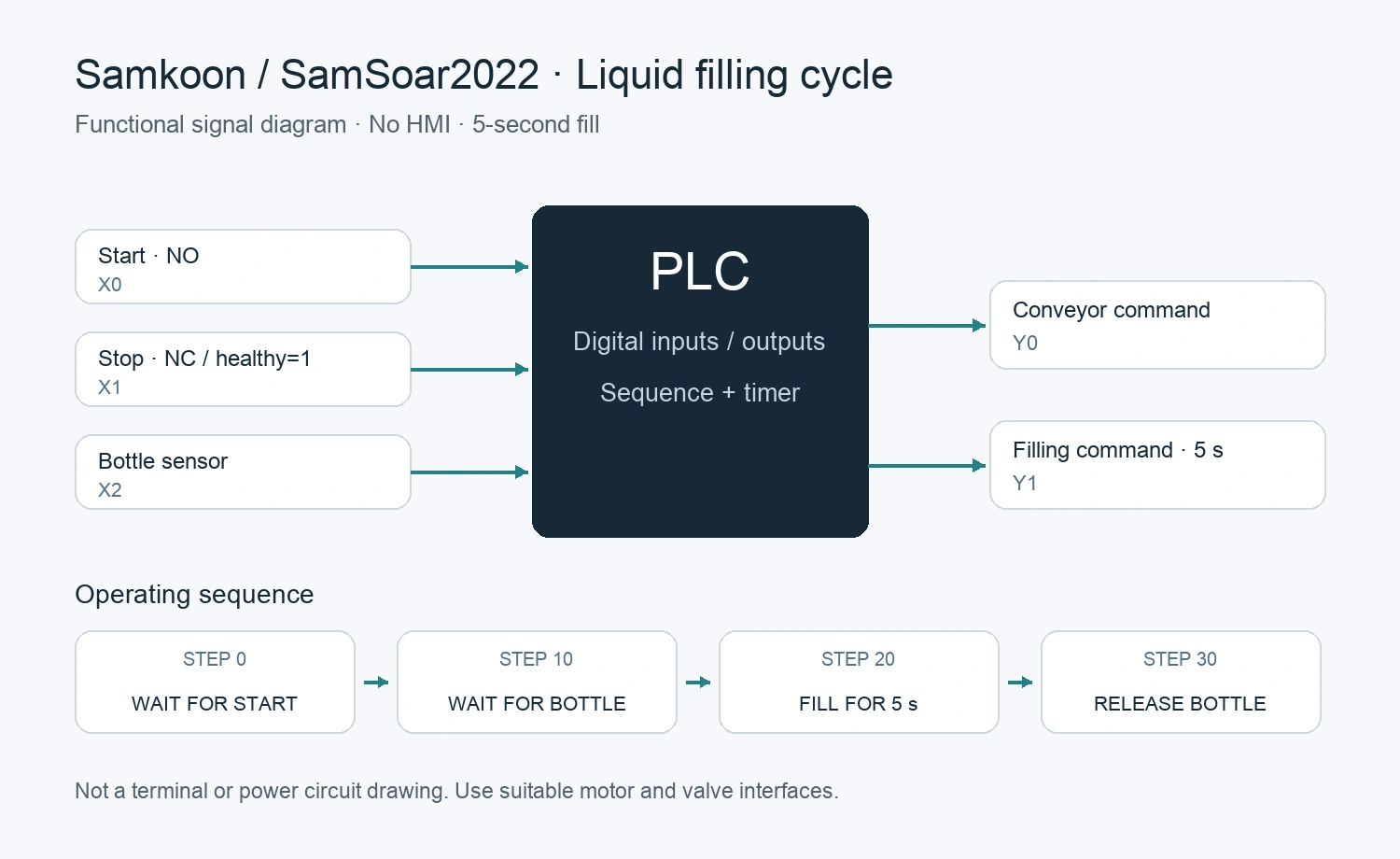
Do not connect a motor directly to a PLC output. Select suitable contactor/drive and valve interfaces, coil protection and power supplies. Match the sensor's PNP/NPN type and input common to the actual PLC. Emergency stopping requires a separate design from the ordinary program Stop.
How the sequence works
M0 is automatic run, M1 is filling and M2 is bottle departure. M10 stores the previous Start input, M11 is an eligible new Start pulse and M12 stops the sequence if the bottle disappears during filling.
Starting with a clear sensor sets M0 and runs the conveyor. X002 sets M1: the conveyor turns off and filling begins. When T0 completes, M2 is set and M1 resets. The conveyor releases the bottle; M2 resets only after X002 clears, allowing the next bottle to start a new fill.
Change the five-second fill time
Network 6 contains TON TV0 K50. TV0 is the value register for T0, whose time base here is 100 ms: K50 means 5 seconds, K30 means 3 seconds. Recheck the time base if changing the timer address. There is no HMI setting in this example; change the preset in the program.
A timed fill does not guarantee a fixed volume. Flow and supply pressure affect the result. See why liquid filling machines underfill or overfill.
Program CSV contents
The 12 networks write each physical output with one OUT instruction:
Program,Main
Network,0
LD,X000
ANDI,M10
ANDI,X002
ANDI,M8150
OUT,M11
POP
Network,1
LD,M1
ANDI,X002
OUT,M12
POP
Network,2
LD,M11
OR,M0
AND,X001
ANDI,M8150
ANDI,M12
OUT,M0
POP
Network,3
LDI,M0
RST,M1,K2
POP
Network,4
LD,M0
AND,M2
ANDI,X002
RST,M2,K1
POP
Network,5
LD,M0
AND,X002
ANDI,M1
ANDI,M2
SET,M1,K1
POP
Network,6
LD,M0
AND,M1
AND,X002
TON,TV0,K50
POP
Network,7
LD,M0
AND,M1
AND,T0
SET,M2,K1
POP
Network,8
LD,M0
AND,M1
AND,T0
RST,M1,K1
POP
Network,9
LD,M0
ANDI,M1
AND,X001
ANDI,M8150
OUT,Y000
POP
Network,10
LD,M0
AND,M1
AND,X002
AND,X001
ANDI,T0
ANDI,M8150
OUT,Y001
POP
Network,11
LD,X000
OUT,M10
POP
Stop, missing bottles and power return
Stop switches off both commands and resets the sequence and timer. Releasing Stop does not resume filling. Losing the bottle during a fill also stops the sequence. The M8150 first-scan flag inhibits startup; a Start button held at startup must be released and pressed again. Starting with the bottle sensor occupied is inhibited.
First test checklist
- Clear sensor and press Start: conveyor on, filling off.
- Detect a bottle: conveyor off, filling on.
- Keep the bottle present for five seconds: filling off, conveyor on.
- Keep the sensor high: no second fill. Clear it and introduce another bottle: a new fill starts.
- Test Stop, bottle removal during filling and CPU restart: both outputs off, a new Start required.
Removing the conveyor command does not guarantee an instantaneous physical stop. Check stopping distance and sensor placement. Bottles need a gap long enough for the sensor to turn off between them.
Validation status
CSV encoding, column counts, instruction operands, element coverage and single output writers were checked. The actual CSV instruction order was tested using a custom interpreter against 10,000 model scan steps and 512 saved-state/input combinations. It has not been compiled in SamSoar2022, run in the manufacturer's simulator or tested on a physical PLC. Compile and test with your target CPU and software version before use.
Need the sequence adapted to your machine?
Contact us for extra nozzles, HMI settings or integration with an existing machine. We develop PLC and automation software in Başakşehir, Istanbul, with remote support across Turkey where suitable access is available. You do not need to buy the machine from us. Leave your name and phone number in the form on this page.
Technical references: SamSoar2022 import menu and TON and TV/T timer addressing.